Tuesday, August 7, 2012

mrBEAMS ReadyBright Home Power Outage System Review

Living in New Hampshire has its benefits,  however, one annoyance is the frequent and sometimes prolonged power outages caused by trees falling on the power lines.  Some residents invest in automatic generators, but my approach was a manual backup generator, saving about 2/3 thirds the cost.  Using the  ReadyBright Power Outage Lighting System by mrBeams, I can light my way to the electrical panel to switch my home power from the street to the generator, but is it cost-effective?

Features:

  • Power Outage detector plugs into any wall outlet and senses power
  • Upon power outage the sensor sends a signal and activates all remote units
  • The Power Outage Detector then becomes a flashlight and remote control for all the remote units
  • Provides more than 40 hours of light on a set of batteries
  • One Power Outage Detector can control up to 10 remotes within 70 feet
  • Automatically shuts off after 30 minutes
  • Low battery indicator on all units.

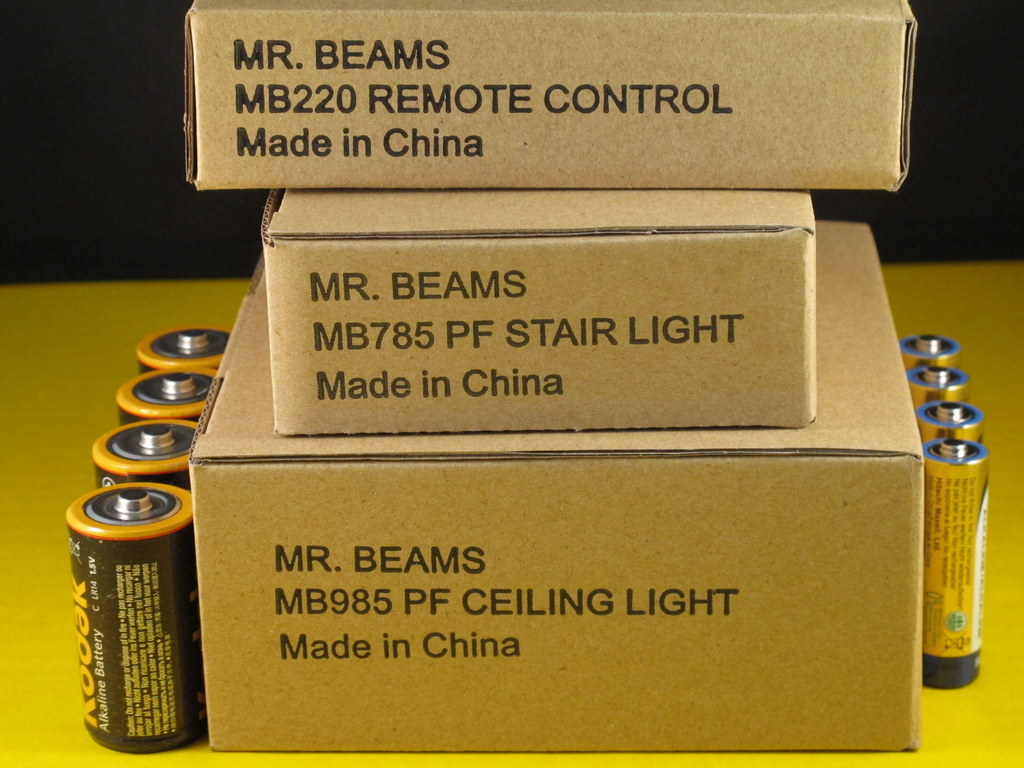
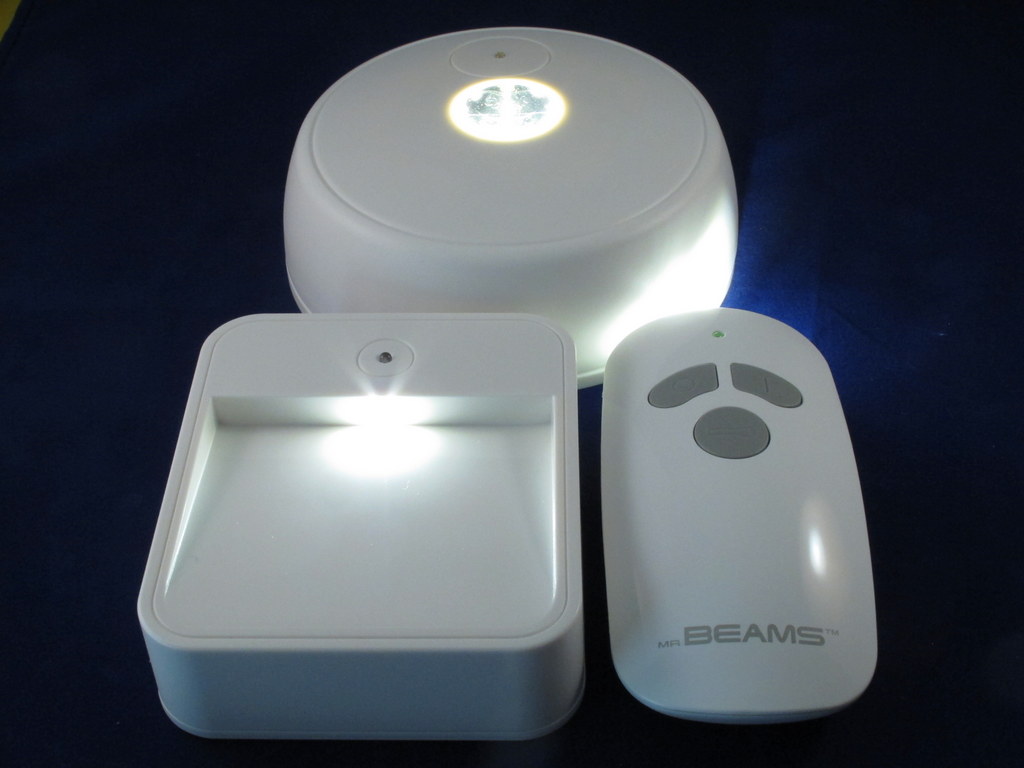
Here’s what I received to review.  It’s the starter house kit and consists of the sensor/remote control, a stair light and a ceiling light.  Additional lights can be purchased and added to the system.
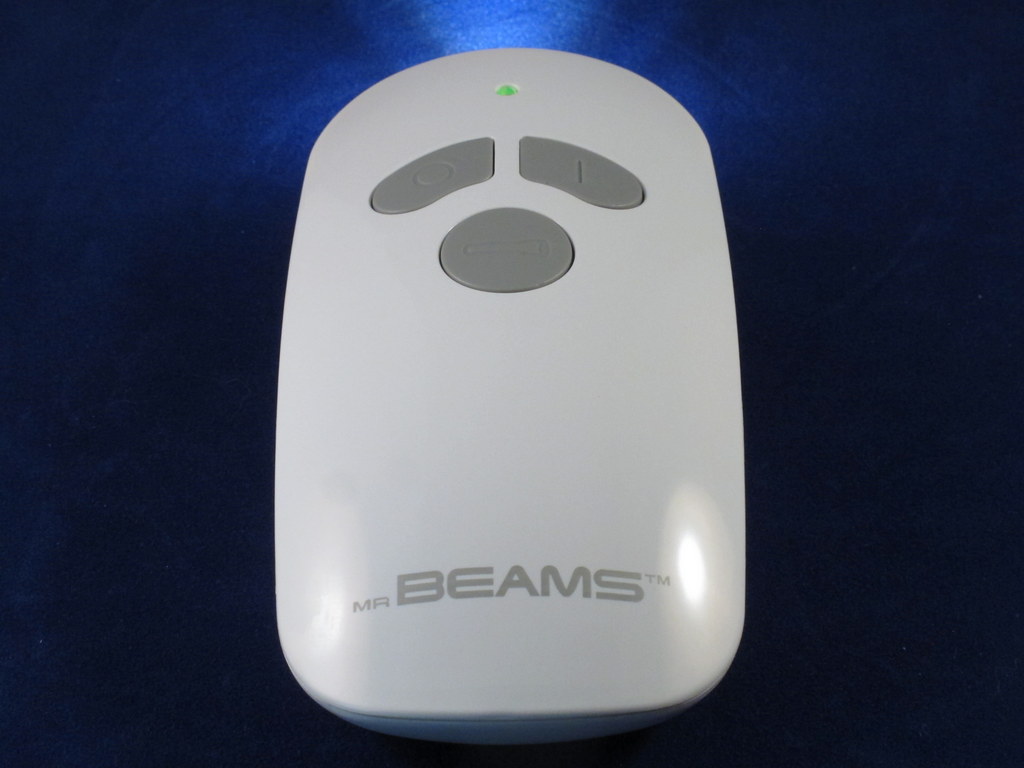
You will need a sensor/remote at minimum.  Here it is with the light on.  This is controlled by the round button in the middle.  The O and l buttons are used to turn all the remotes on and off.

The backside of the sensor/remote with the AC prongs retracted.

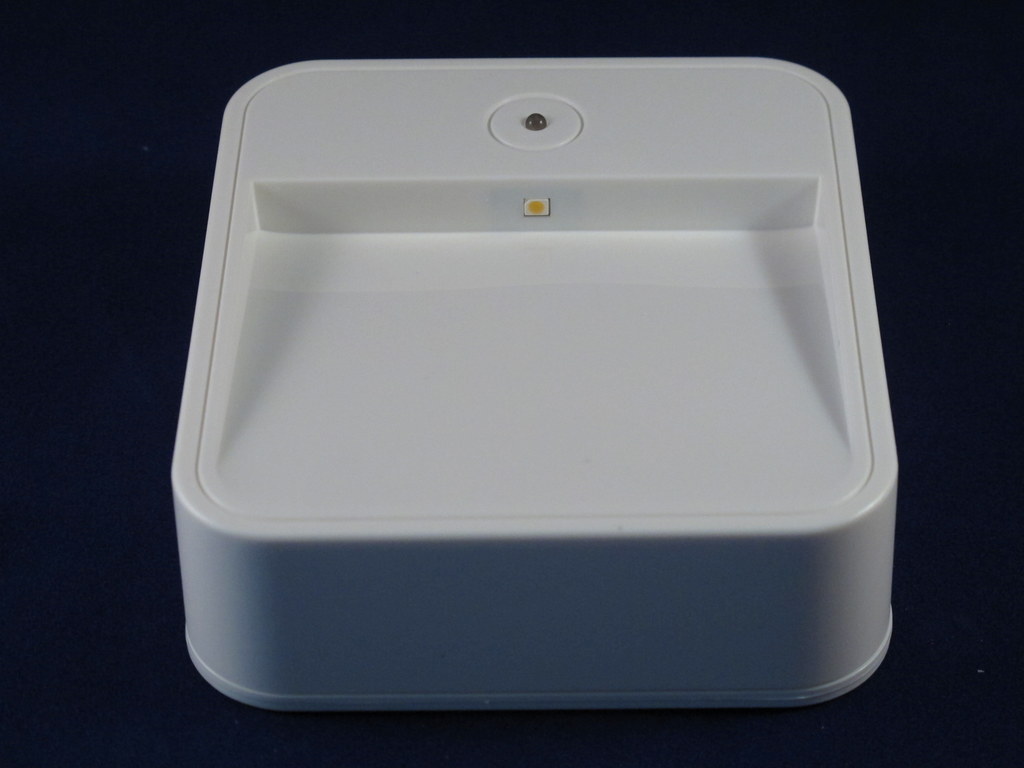
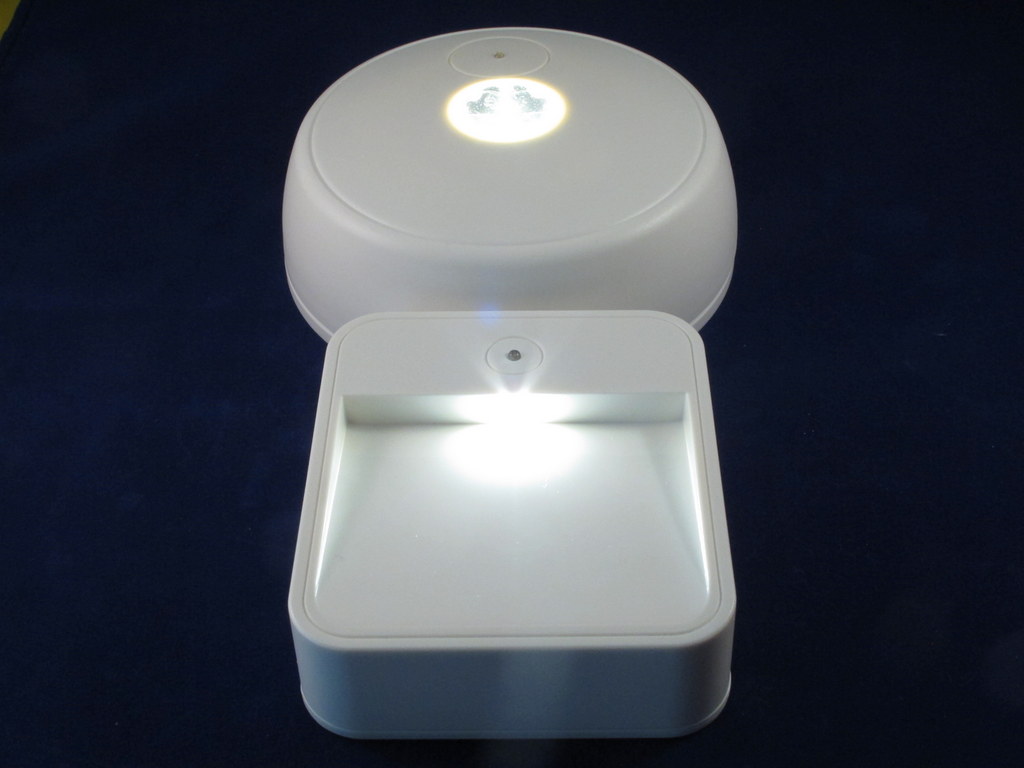
The stair light.

The back of the stair light with the cover off.  You’ll notice it takes 4 AA batteries. Caution:  The screws for the covers on both lights are not captive.  I almost lost them when installing the batteries.

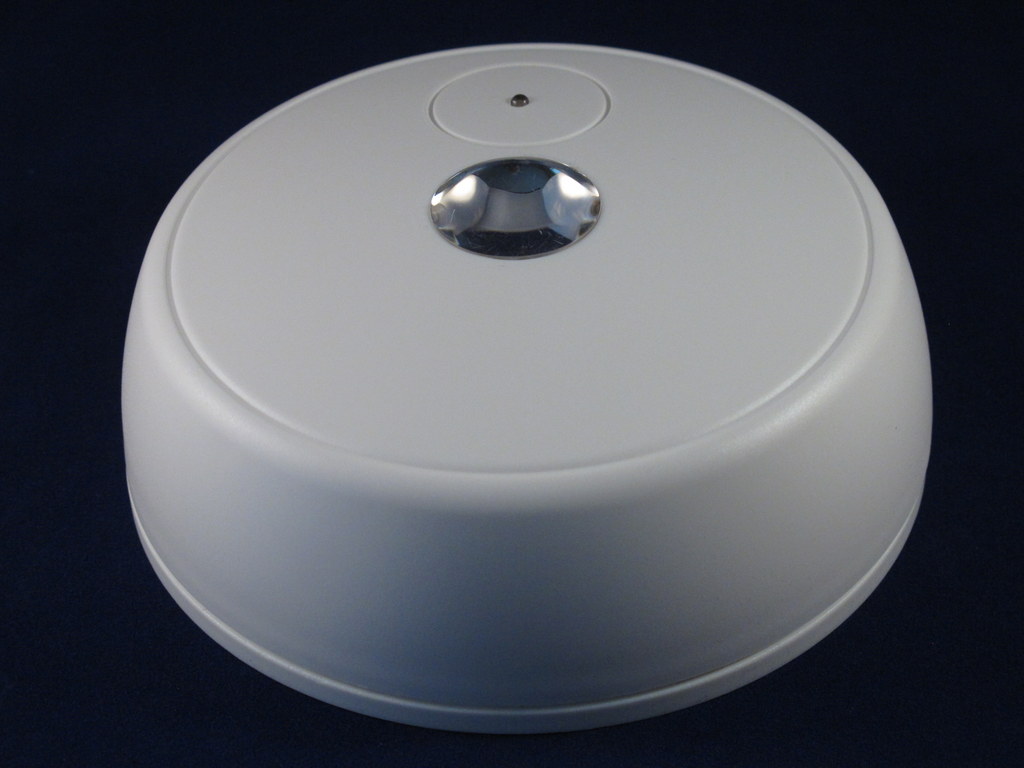
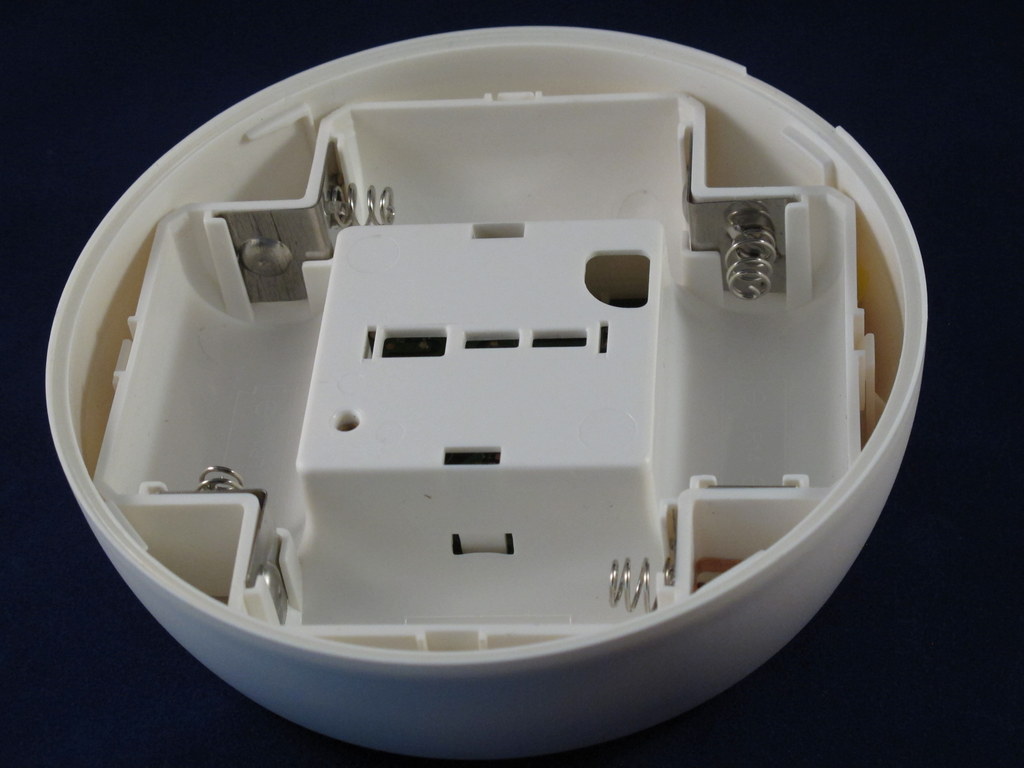
The ceiling light.

This unit takes 4 C cells.  The same caution applies here.  The screws for the back cover are not captive and will fall out.

Here the stair and ceiling units are powered on.  The illumination put out by these lights is not enough to read by, but it is enough to light your pathway.  The units have only one L.E.D. and the brightness is comparable to those solar-powered yard lights you can find in any discount store.

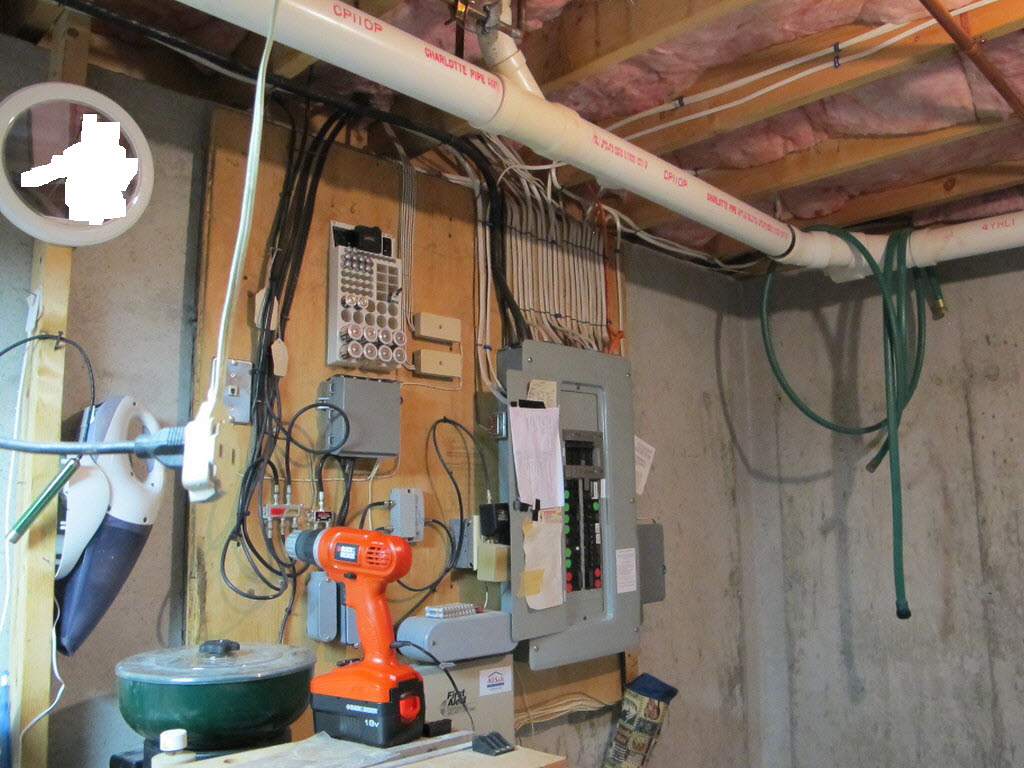
The objective in my home was to light the pathway to the breaker panel in the basement during a power failure.  The procedure I have to follow to get emergency power is: haul the 7.5KW electric start generator out of the shed; hook the generator to the house wiring via a junction box outside with a 20 ft cable; start the generator and then head to the basement to toggle the interlock in the breaker panel to route power from the generator to the household circuits.

I put the remote/flashlight just outside the master bedroom.

When utility power is lost, the unit turns on and within 5 seconds enables the remote units.  I can grab the remote/flashlight and find my way downstairs to hookup and start the generator.

I mounted the stairway unit to light up the basement stairs.  The mounting allows one to use either screws or double-sided tape.  Forget the tape.  The unit fell off the wall after 24 hours, and I screwed it into the wall.  The good news is that the light didn’t break.

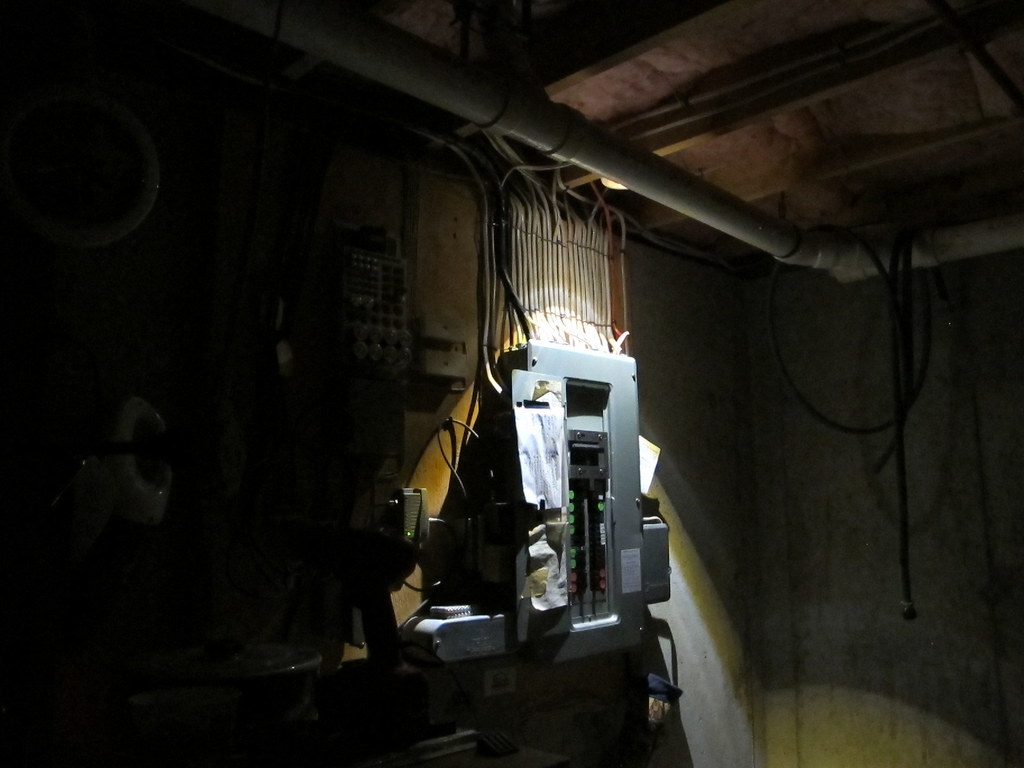
After I arrive at the breaker box where the ceiling light is mounted, I can see enough to flip the switches necessary to route emergency power through the house.

Now that I have power, I can turn the remote lights off using the sensor/remote.

The mrBEAMS Home Power Outage System (aka ReadyBright Power Outage Lighting) operates as advertised and was a cinch to install, but I’m not convinced it’s worth the money.  For the $70 price of the Starter Kit, I can buy a bunch of flashlights and a decent supply of batteries.  As a matter of fact, that’s what I’d been using before I received the test unit.   Also, whenever I find a new gadget to try, I solicit friends’ and neighbors’ opinions to validate or refute my own.  In this case those opinions were universally negative about the cost effectiveness of this solution.  Perhaps it’s because we’re all from New Hampshire and are very familiar with power outages and have made plans to deal with it.  Most of us have flashlights placed strategically around the house and have stockpiles of candles and kerosene lamps.

A system like the mrBEAMS might be better suited to people living in an urban environment where generators are not practical and you might not want to have open flames in the apartment.  Then again, I don’t see why several flashlights wouldn’t be more cost-effective, even in a city apartment.

Product Information

Price:$69.99 Starter House Kit
Manufacturer:Mr. BEAMS
Retailer:Mr. Beams
Pros:
  • Automatic operation
  • Expandable
Cons:
  • Non-captive screws on battery covers
  • Tape mounting of stairway light does not work
  • Somewhat expensive

Filed in categories: Home Tech, Reviews

Tagged: , ,

mrBEAMS ReadyBright Home Power Outage System Review originally appeared on The Gadgeteer on August 2, 2012 at 11:00 am.

Source: http://the-gadgeteer.com/2012/08/02/mrbeams-home-power-outage-system-review/

METHODE ELECTRONICS MENTOR GRAPHICS IMS HEALTH

116 years of Olympic medalists compared

116 years of Olympic medalists compared

If you've paid any attention at all to the Olympics over your lifetime one thing may stand out to you -- every four years, records seem to crumble. We're getting faster and stronger, not because of evolution, but thanks to science. High speed video has us refining our form, nutritionists are finding the most efficient diet and coaches are timing training schedules for peak performance. Just how much of an impact has this had on athletic achievement? Well, the New York Times decided to plot every medalist from the last 116 years of Olympic games in the 100-meter sprint, the 100-meter freestyle and the long jump. Though records aren't actually shattered every year, there's a clear trend of improvement (with the exception of the long jump). In fact, this year's last place sprinter in the final round would have edged out 1896's gold medalist by more than half a second -- and he was battling a groin injury. Hit up the source links to see 116 years of medal winners compared, and the more coverage link to see how athletes are squeezing every last bit of performance from their bodies as we approach the limits of human capability.

Filed under:

116 years of Olympic medalists compared originally appeared on Engadget on Mon, 06 Aug 2012 16:46:00 EDT. Please see our terms for use of feeds.

Permalink The Verge  |  sourceNew York Times 1, 2, 3  | Email this | Comments

Source: http://www.engadget.com/2012/08/06/116-years-of-olympic-medalists-compared/

NVIDIA NUANCE COMMUNICATIONS NOVELLUS SYSTEMS

Monday, August 6, 2012

Zen Coding high-speed HTML shorthand plug-in updated

zencoding
Zen Coding made quite a splash when we first covered it almost a year ago. For those who aren't familiar, Zen is a fantastic form of shorthand for quickly hand-coding HTML. And today, a new version is out!

Here are some of the goodies version 0.7 brings to the party:
  • Text nodes: Writing something like a[href=/]{Click here} now works, and puts "Click here" within the link.
  • New actions added: Increment/decrement number under cursor, evaluate math expressions, and more.
  • Wrap with Abbreviation was upgraded.
There are several other improvements but they're all rather technical. If you use Zen Coding (or are intrigued by the concept) go ahead and read the release notes for this new version.

Zen Coding has official implementations for a ton of editors, including TextMate, Apatana, Coda, E2, Komodo, Notepad++, PSPad, and more. It also has unofficial builds for Vim, UltraEdit, Visual Studio and more.

If you want to play with Zen Coding without installing it, you can use the online demo to see some of its magic in action.

Zen Coding high-speed HTML shorthand plug-in updated originally appeared on Download Squad on Tue, 15 Mar 2011 10:00:00 EST. Please see our terms for use of feeds.

Permalink | Email this | Comments

Source: http://downloadsquad.switched.com/2011/03/15/zen-coding-high-speed-html-shorthand-plug-in-updated/

IDT IBASIS HYPERCOM

Jailbreak iOS 4.3.1 on OS X or Windows with PwnageTool or Sn0wbreeze

iOS 4.3.1 jailbreakA jailbreak of iOS 4.3.1 is now possible with both PwnageTool on Mac, and Sn0wbreeze on Windows. RedmondPie -- who else? -- has some handy guides that you can follow for all iOS 4.3.1 devices on Windows, for iPhone 4 on OS X, iPad 1 on OS X, iPhone 3GS on OS X, and iPod touch 4G and 3G on OS X.

All iOS 4.3.1 jailbreaks are still tethered, meaning you'll have to jailbreak your device after every reboot. An untethered jailbreak is slated for release sometime in the next week -- but 4.3 was meant to have an untether, too, and that never emerged.

Maybe Apple's updated security mechanisms will finally keep hackers at bay!

Jailbreak iOS 4.3.1 on OS X or Windows with PwnageTool or Sn0wbreeze originally appeared on Download Squad on Mon, 28 Mar 2011 06:30:00 EST. Please see our terms for use of feeds.

Permalink | Email this | Comments

Source: http://downloadsquad.switched.com/2011/03/28/jailbreak-ios-4-3-1-on-os-x-or-windows-with-pwnagetool-or-sn0wbr/

SONUS NETWORKS SONIC AUTOMOTIVE SKYWORKS SOLUTIONS

Samsung Galaxy Note 10.1 Gallery

Android Central  Android Central Android Central Android Central Android Central Android Central Android Central Android Central Android Central Android Central


Source: http://feedproxy.google.com/~r/androidcentral/~3/GkeXaIkJsKI/story01.htm

TEXAS INSTRUMENTS TERADATA TELETECH HOLDINGS

Tips And Tricks For Your iPad

Apple have designed the iPad to be easy to use, in fact even a two year old can use this device without any problems whatsoever. This makes it a very attractive option for people who are used to using an iPhone or for those who are not. However, there are still a few things about the device that do need a little bit of explaining.

Soft Reset Explained:

Although the iPad is pretty robust in so far as there are not actual moving parts in it, there are still a few things that can go wrong. With this in mind Apple have incorporated a ‘soft reset’ function into the device. This is particularly useful if the system ever freezes. By just holding the top or the power button at the same time as the Home button for a few seconds, allows users to reset the device.

Cut and Copy Pasting Explained:

Copying long texts on an iPad is a long and tiresome process. With this in mind Apple created an easy solution to the problem. Users can copy a whole paragraph without having to stretch the blue knobs on their screens. All they need to do is tap any of the text four times and this automatically highlights the whole paragraph. However, this only works on text that can be edited.

Importing Free eBooks Explained:

Users can benefit from free e-books on their iPads and this includes books that are no longer copyrighted.

Easy Mute Explained:

This is an easy to use function on an iPad that allows you to automatically turn off the volume on your device. Just by pressing the volume down button for a couple of seconds, users can turn off the volume on their devices.

Supersized Screenshots Explained:

Users can increase the size of a screenshot by simply holding the power and home buttons down simultaneously for half a second.

Bringing the Virtual Keyboard Back

Many people thought this would be difficult to achieve on their iPads but in fact it is easily done. All users have to do is touch the eject key on the real physical keyboard to get the virtual one back up.

Source: http://tabletbuzzblog.com/tips-and-tricks-for-your-ipad/

QUANTUM QLOGIC PROGRESS SOFTWARE

New iPad Smart Covers

new ipad smart coverAt the release of the iPad 2, Apple also brought out its Smart Cover product, which quickly became a favorite. Although the new iPad 3 is a little thicker through the middle than the iPad 2 (due to a bigger battery), it is still compatible with the previous Smart Covers that are currently for sale. This is excellent news as the Smart Cover not only protects the iPad screen from scratches and scrapes but is also functional and practical, and a stylish choice.

The Smart Cover uses magnets within the iPad to align it perfectly to the iPad. Third party cases can sometimes be a bit of a struggle to line up on the iPad – sometimes the case slips and the home button is not easily accessible, or it can be a struggle to fit the charger lead into the socket. So the magnetized Smart Cover is a welcome change.

The Smart Cover can automatically wake the device when the cover is opened, meaning users no longer need to hit the home button or power button to access the iPad. This is just a small and simple feature but incredibly useful.

The Smart Cover is also capable of supporting the iPad in a standing position so that you can easily view movies and videos. The cover simply folds behind the iPad to prop it up. This is also very useful for FaceTime and Skype sessions. The cover can also be folded at a different angle to prop up the unit to make typing easier. This can be especially helpful if you are composing a long email or document.

There are two material choices with the Smart Cover, and a whole range of colors to choose from. For bright vibrant colors, the obvious choice is the polyurethane cover, available in black, gray, pink, green and blue. There is also a traditional leather cover which comes in brown, black, gray, white and red. Both of the materials are lined with microfiber which works to remove smudges and fingermarks from the screen when the cover is closed, as well of course as keeping it safe from scratches.

No matter your personal preference in terms of color and material, the Smart Cover cannot be beaten on functionality and usefulness. Many cases for the iPad can be quite bulky and add a significant amount of weight and bulk to the device. However the Smart Cover is slim and sleek while still giving protection. In addition, the extra features make it a great and stylish choice for any new iPad owner, or a great gift choice for the iPad owner in your family!

Source: http://tabletbuzzblog.com/new-ipad-smart-covers/

MCAFEE MAXIMUS MANTECH INTERNATIONAL

Jetbus is a retro-tastic physics game, with a bus

jetbus
Once upon a time, there used to be a DOS game with a caveman and a human powered helicopter. The caveman would shuttle around the screen, madly trying to get customers to where they wanted to go.

Jetbus is not that game, but it's obviously inspired by it. You're driving a yellow school bus which has jets. I guess the jet engine takes quite a bit of space inside the bus, because you can only pick up one person at a time.

There are several doors on the screen, each with its own number. As you pick up a person, the status bar at the bottom of the screen shows you which number door you have to take them to.

You must fly your bus carefully, because if it gets bumped around too much, you lose. You earn money on each level, and can visit the garage to buy better jets and damping, power-ups, or even a whole new vehicle.

So while this game isn't made as well as the original that inspired it, it does provide a few minutes of fun. And now, which one of you guys remembers the original and feels like pointing to it in the comments?

Jetbus is a retro-tastic physics game, with a bus originally appeared on Download Squad on Tue, 15 Feb 2011 17:00:00 EST. Please see our terms for use of feeds.

Permalink | Email this | Comments

Source: http://downloadsquad.switched.com/2011/02/15/jetbus-is-a-retro-tastic-physics-game-with-a-bus/

PALM OSI SYSTEMS ORACLE

Sunday, August 5, 2012

Dodge is a space-shooter in which you have no weapons

dodge
Space-shooters are usually a fairly fiery affair, with many types of guns, weapon upgrades, power-ups and more. Dodge does away with all of that, while keeping the very essence of a space shooter: Dark background, fast action, and stuff blowing up all over the place.

Your vector-looking spacecraft is the fastest thing on the screen, most of the time. And as the header implies, you have absolutely no weapons; you can't get any, either. All you have is agility and maneuverability.

Your opponents shoot heat-seeking missiles at you; the missiles lock on and start tracking you. The trick is to dodge the missiles while putting them in the path of one of your enemies, thus letting them have a taste of their own medicine.

There are three types of enemies, at least in the first few levels: "simple" spaceships which fire slow projectiles, "tanks" which seem to be more serious and take more hits to destroy, and "circles." The circles simply explode, spewing twenty or thirty very fast projectiles. This sounds dangerous, but is actually great once you learn to use them; they are very destructive for tanks, and can even blow up other circles.

The soundtrack is very techno, but it meshes very well with this type of game. Intense fun!

Dodge is a space-shooter in which you have no weapons originally appeared on Download Squad on Tue, 01 Mar 2011 17:30:00 EST. Please see our terms for use of feeds.

Permalink | Email this | Comments

Source: http://downloadsquad.switched.com/2011/03/01/dodge-is-a-space-shooter-in-which-you-have-no-weapons/

MICROCHIP TECHNOLOGY METHODE ELECTRONICS MENTOR GRAPHICS

Ematic Introduces Its Latest 7” Android 4.0 Tablet for Only $79.99

Ematic makes a line of value-priced tablets that always keep portability, accessibility, and productivity in mind. Their newest 7″ tablet is called the eGlide 4, and it runs the Android 4.0 “Ice Cream Sandwich” OS.  It has a 1GHz processor, 512MB of RAM, and 4GB of internal storage and 5GB of cloud storage.  You can add up to 32GB of additional storage with the microSD slot.  It has a 3-axis gyroscope and accelerometer for advanced motion sensing, built-in 802.11 b/g/n WiFi, and a voice recorder.  It’s pre-loaded with apps, too: an office suite that allows you to view .DOC, .PDF, .PPT, and .XLS files, music player, Kobo ebook reader app, and access to an app store so you can add more.  With an optional cable, you can watch 1080p video content on your TV using the Mini HDMI connector on the eGlide 4.  It’s available now at Walmart for $79.99.

Filed in categories: Android related, News, Tablet Computers and Gear

Tagged:

Ematic Introduces Its Latest 7” Android 4.0 Tablet for Only $79.99 originally appeared on The Gadgeteer on August 2, 2012 at 12:00 pm.

Source: http://the-gadgeteer.com/2012/08/02/ematic-introduces-its-latest-7-android-4-0-tablet-for-only-79-99/

NINTENDO NOKIA NVIDIA

Ask DLS: What's your favorite mobile app at the moment?

askdls
The mobile app marketplace is exploding; there are now hundreds of thousands of apps on the iOS, Android and BlackBerry app markets. Heck, even Windows Phone 7 just crossed the 10,000 mark!

But alas, not all apps are created equal; some are way, way better than others. Which leads me to today's Ask DLS question: What is your favorite mobile app at the moment?

We don't necessarily mean the latest craze; we'd like to hear about apps that have stood the test of time on your device, apps that are among the first you install on a new smartphones, apps that have earned their place on your home screen and in your heart.

So, what are some of these apps? Bonus points for links to screenshots in the comments!

Ask DLS: What's your favorite mobile app at the moment? originally appeared on Download Squad on Thu, 17 Mar 2011 14:30:00 EST. Please see our terms for use of feeds.

Permalink | Email this | Comments

Source: http://downloadsquad.switched.com/2011/03/17/ask-dls-whats-your-favorite-mobile-app-at-the-moment/

IKON OFFICE SOLUTIONS IDT IBASIS

It Was Only a Matter of Time: A Facebook "Like" Inspired Oven Mit [Facebook]

I guess you can't blame a company for cashing in on a catchy trend. Facebook's "Like" button is everywhere, and everyone is liking stuff—as much ironically as genuinely (which can get a little weird). More »


Source: http://feeds.gawker.com/~r/gizmodo/full/~3/Z6_Mcb0n63s/it-was-only-a-matter-of-time-a-facebook-like-inspired-oven-mit

TRIQUINT SEMICONDUCTOR TRIMBLE NAVIGATION LIMITED TRIDENT MICROSYSTEMS

Samsung's New TV-Phone Brings Antennae Back To Mobile [Cell Phones]

If limited data plans are getting you down, there's a new alternative that makes use of some old tech. How about picking up good, old-fashioned broadcast TV? More »


Source: http://feeds.gawker.com/~r/gizmodo/full/~3/ZA60j7deHuc/samsungs-new-tv+phone-brings-antennae-back-to-mobile

FAIRCHILD SEMICONDUCTOR INTERNATIONAL FAIR ISAAC FACTSET RESEARCH SYSTEMS